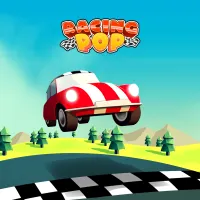
Racing Pop opens up a world tour racing journey with over 50 unique tracks. Ranging from steep mountain pass roads and sun-drenched coastal strips to modern urban areas. In this game, you need to complete races in the shortest time possible. The goal is to set personal records and put your name on the global leaderboard.
Especially, before officially entering professional tournaments, the game will challenge you with a test. Players must complete three test laps in under 40 seconds. Prove the bravery of a true racer before confronting other opponents.
GAMEPLAY SUMMARY
Racing Pop possesses an extremely unique and streamlined one-button control mechanism. Your car will automatically grip the road and steer along the available racing lane. The most important task is to control speed through coordinating the gas pedal.
Players just need to press and hold the left mouse button or the space key. When you want to reduce speed before tight corners, you simply release your hand.
When you hold the gas, the car will rush at maximum speed on straight stretches of road. However, if you keep charging into a corner without releasing the gas, the car will fly off. It will collide with the median strip and make you lose all forward momentum. When you release the button at the right time, the wheels will smoothly hug the curve.
Car system
The game features over 19 different sports racing car models for you to gradually unlock through levels. Each car possesses distinct operating characteristics. You can improve the overall performance of the car through five core parts:
- Tires: Enhance road grip, minimizing skidding when cornering at high speeds.
- Suspension: Help the car stabilize quickly after jumps and move smoothly on rough terrain.
- Brakes: Help the car reduce speed faster right when you release the control button.
- Gearbox: Optimize shifting capabilities so the car reaches top speed faster.
- Engine pistons: Increase the maximum power of the engine. So, you can accelerate powerfully on straight roads.
How to drive your car
- Press and hold the mouse to make the car accelerate to the maximum on straight roads.
- Release your hand when the car is about to reach corners.
Control tips
- Releasing the gas before the car enters the starting point of the corner.
- For wide corners, you only need to gently click and release to adjust speed.
- In the early stage of the game, prioritize upgrading tires and the brake system.
- Upgrading the engine and gearbox will be the deciding step for you to break time records.
- Persistently practice on the same track to memorize every corner.
PLAY NEXT