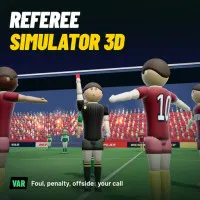
Referee Simulator 3D will realistically simulate the breathtakingly tense atmosphere of soccer. Players must move directly with every single rolling ball rhythm. You can immerse yourself in fiery tackles on the pitch. Moreover, gamers have to make split-second calls under huge time pressure. The game core will revolve around thirteen typical real-life soccer situations:
- Face penalty calls inside the box.
- Spot offside traps.
- Judge accidental or deliberate handball fouls.
- Determine whether the ball crossed the goal line.
- Show a second yellow card to send players off.
- Punish dangerous unsportsmanlike elbow strikes.
- Call corner kicks or throw-ins.
Refs will decide the fate of twenty-two athletes on the field. Fans can enjoy the explosive cheers of tens of thousands of spectators.
ON-PITCH OFFICIATING MECHANICS
Entering a specific match, players need to use WASD or Arrow keys to control the referee. Therefore, the official can move flexibly across the grass pitch. Gamers should hold the shift key to sprint and chase fast counter-attacks. When a sensitive play happens, the action menu will pop up. You will click the mouse to select the matching ruling. To rest or check stats, players just need to press Esc to pause.
Dedicated VAR review system
Players need to run straight to the sideline to check the VAR monitor after super fast plays. Slow-motion angles, offside lines, and tight cameras provided are right here. Compare each slow-motion frame to make the fairest final call. Thus, you can minimize wrong decisions on the pitch to the lowest level.
Career mode progression path
You will start your refereeing journey in regional leagues equipped with basic facilities, where your decision accuracy, card control, and stamina skills will be graded after every match. By earning excellent scores, you can secure promotions to officiate in the top Super League. Later, players can take charge of fiery derby matches between two arch-rivals. Finally, you will reach the ultimate peak of your career by officiating prestigious international cup games.
Referee movement controls of Referee Simulator 3D
- Move: WASD or Arrow keys.
- Sprint: Shift key.
- Click the mouse to make a ruling.
Smart officiating tips
- Keep a diagonal running line relative to the two sideline assistants.
- Maintain a moderate running speed to save the stamina bar.
- Sprint at full speed only during fast counter-attacks or potential fights.
- Consult the VAR screen only for box handballs or heated disputes.
MORE TITLES TO EXPLORE